
Download Pioneer Skin – Windows Media Player skin, car audio skin, Pioneer skin, media player skin, Windows skin
Overview
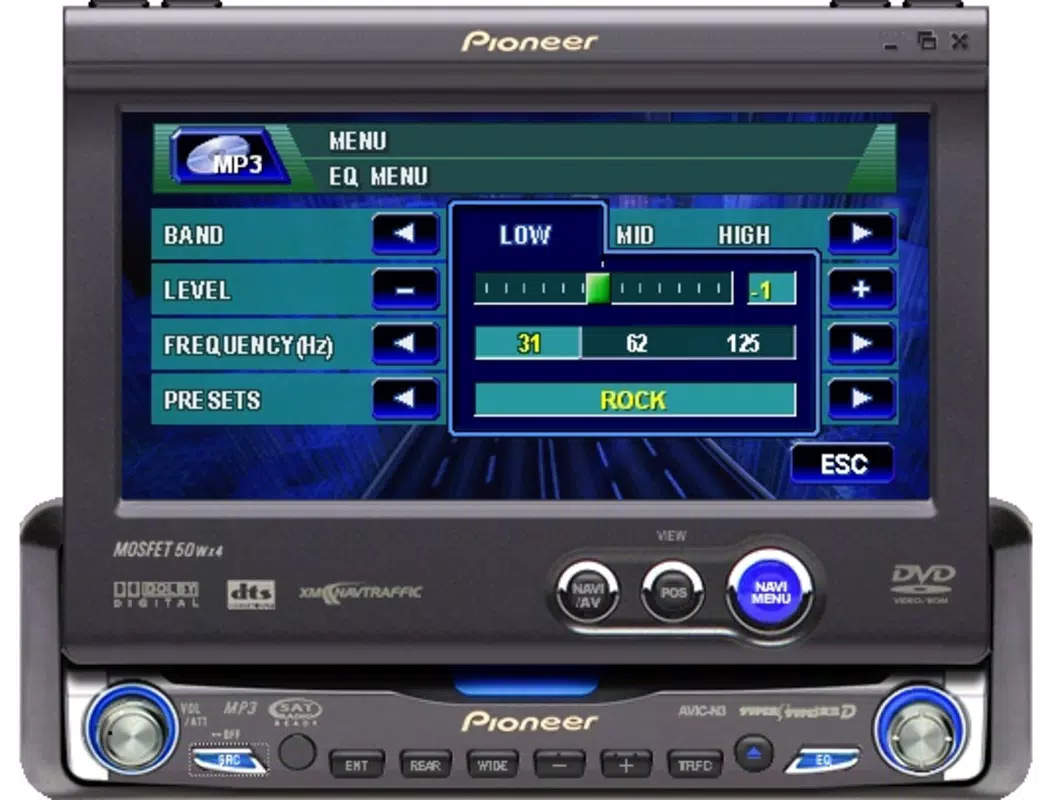
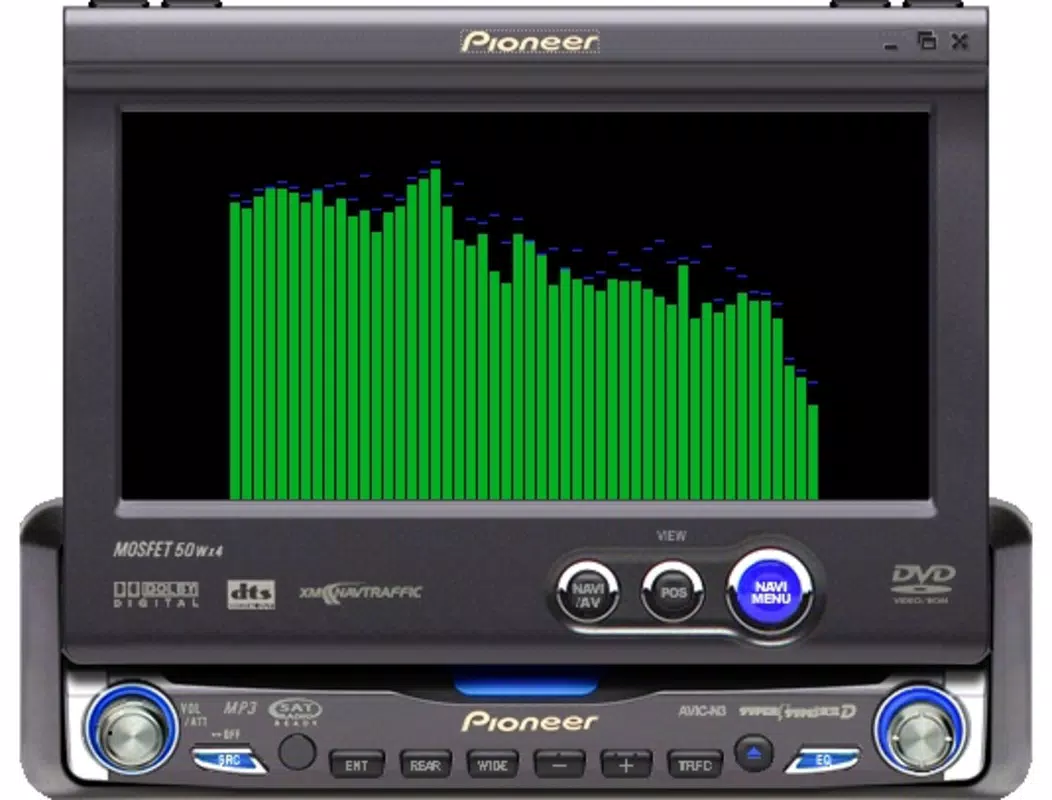
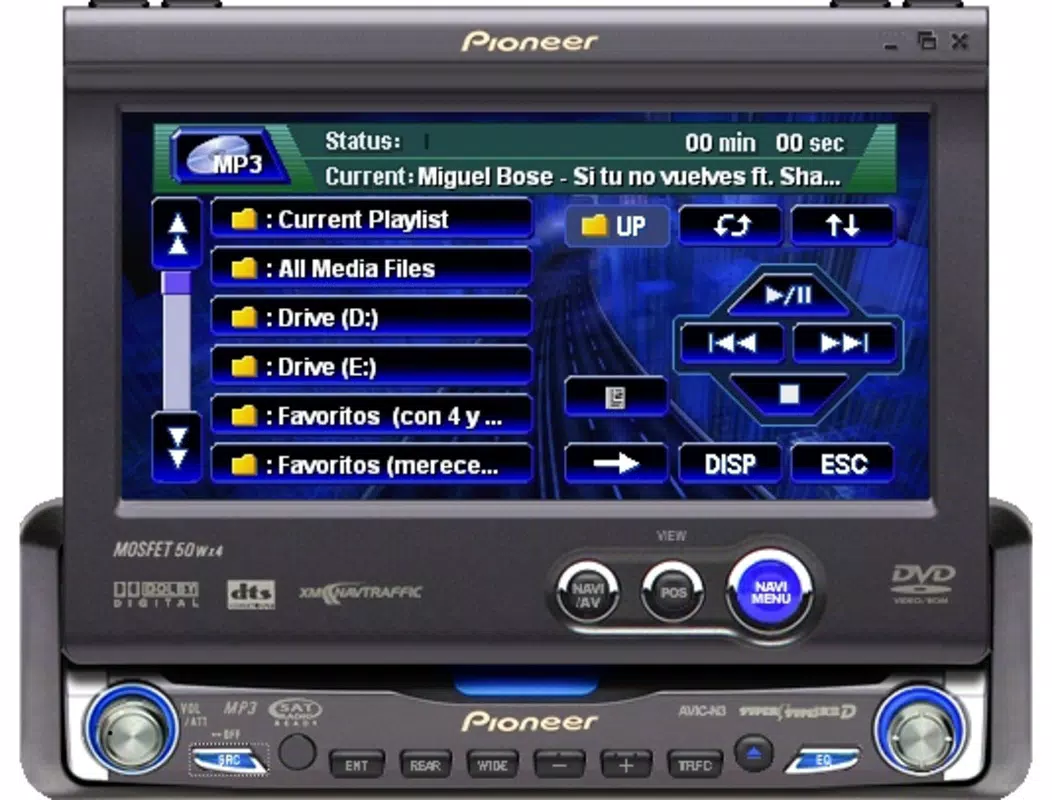
Pioneer Skin is a specialized visual interface designed for Windows Media Player, offering users a unique way to enhance their digital audio experience. Crafted by developer Ryan J. Boudreaux, this skin transforms the standard Windows Media Player into a stylized representation of a Pioneer car audio system. Its primary purpose is to deliver both aesthetic appeal and functional familiarity to users who appreciate the design language of automotive audio equipment. The app is particularly suited for audio enthusiasts, car audio aficionados, and individuals who enjoy personalizing their software environments.
By replicating the layout, button placement, and visual cues of real Pioneer car stereos, Pioneer Skin bridges the gap between digital media consumption and physical audio hardware. This transformation is not merely cosmetic—it creates a more immersive experience, especially for users who value the tactile and visual feedback of physical controls. The skin is ideal for those who want to elevate their media playback interface with a sense of authenticity and style.
Although the developer did not provide additional technical details about the app’s development background, the release date of June 11, 2007, indicates a long-standing presence in the niche market of media player skins. Its continued relevance underscores its effectiveness in meeting the needs of a dedicated user base. In the broader software ecosystem, Pioneer Skin occupies a unique space as a utility that enhances user engagement through visual and interactive design, proving that even small, specialized tools can have lasting impact.
Key Features & Functionality
- Car Audio Simulation: The skin mimics the look and feel of a Pioneer car audio system, featuring realistic button designs, analog-style sliders, and a dashboard-like layout. This creates a tactile, immersive experience that appeals to fans of automotive audio technology.
- Elegant and Attractive Design: With sleek lines, modern color schemes, and a clean interface, the skin elevates the visual standard of Windows Media Player, turning a basic media player into a visually sophisticated tool.
- Smooth Animations: Subtle yet effective animations accompany user interactions—such as pressing a button or adjusting a volume slider—adding a layer of responsiveness and polish to the interface.
- Customization Options: Users can adjust various visual elements to match their preferences, including color themes, button opacity, and layout alignment, allowing for a personalized media player experience.
- Perfect for Tuning Enthusiasts: The skin caters to users who enjoy customizing their digital environments, much like tuning a car. It enables users to express their personal style while enhancing usability through intuitive controls.
These features combine to offer a practical yet expressive upgrade to Windows Media Player. For example, a user listening to a curated playlist during a commute may find the car audio aesthetic more engaging than the default interface. Similarly, a tech-savvy hobbyist might use the skin to showcase their love for retro-futuristic design in a digital space. The customization options also allow users to adapt the skin for different use cases, such as home entertainment or mobile desktop setups.
Interface, UX & Performance
The interface of Pioneer Skin is designed with a strong focus on visual consistency and intuitive navigation. The layout mirrors that of a physical car stereo, with clearly labeled buttons, a central display area, and dedicated controls for playback, volume, and equalization. This layout reduces cognitive load, allowing users to interact with the media player without needing to refer to on-screen instructions.
Navigation is streamlined through a logical arrangement of controls. For instance, playback functions are grouped together, and volume adjustments are handled via a horizontal slider that mimics analog dials. The use of subtle animations enhances the sense of responsiveness, making each interaction feel deliberate and satisfying. Although the developer did not list formal performance metrics, the lightweight file size of 1.1 MB suggests minimal impact on system resources.
Performance is expected to be stable across various Windows device categories, including desktops and laptops, due to the app’s low footprint and compatibility with the Windows Media Player framework. The skin operates within the existing media player environment, relying on system-level rendering rather than standalone processes. This ensures consistent responsiveness and reduces the risk of crashes or lag during media playback.
Platform Compatibility & Technical Requirements
Pioneer Skin is designed for the Windows operating system. The app is compatible with Windows Media Player, which is available on various versions of Windows, though specific OS requirements were not listed. The file size is 1.1 MB, indicating a lightweight installation that should not strain system storage or memory.
The software version is 1.0, and the app is available at no cost. While the developer did not specify minimum OS requirements, the release date of June 11, 2007, suggests it was originally built for older Windows versions such as Windows XP or Windows Vista. Users on modern Windows systems may still be able to install and use the skin, but compatibility is not guaranteed due to potential changes in the Windows Media Player architecture over time.
Pros and Cons
Pros
- Unique car audio aesthetic enhances media playback experience
- Lightweight design with minimal system impact
- Intuitive interface inspired by physical car stereos
- Offers customization for personal style
- Free to download and use
Cons
- Compatibility with modern Windows versions not confirmed
- No official support or update history provided
- Limited to Windows Media Player only
- Customization options may be basic compared to modern skins
- No integration with cloud services or modern media libraries
FAQ
Is Pioneer Skin compatible with Windows 10 or Windows 11?
Compatibility with Windows 10 or Windows 11 is not officially confirmed. The app was released in 2007 and may require additional configuration or third-party tools to function on newer systems.
Can I install Pioneer Skin on a Mac?
No, the app is designed exclusively for Windows and is not available for macOS or other operating systems.
Is Pioneer Skin safe to download and install?
Yes, the app is free and distributed by the developer Ryan J. Boudreaux. It does not include malware or third-party ads. However, users should download from trusted sources to ensure authenticity.
How do I update Pioneer Skin?
As of now, no update history or version changelog has been provided. The current version is 1.0, and no official update mechanism is available.
Can I use Pioneer Skin with other media players?
No, the skin is specifically designed for Windows Media Player and is not compatible with alternative media players such as VLC, Spotify, or iTunes.
Final Thoughts
Pioneer Skin stands as a nostalgic yet functional tool that brings a unique aesthetic to the Windows Media Player experience. Its car audio-inspired design appeals to enthusiasts who value both form and function, offering a personalized interface that feels both authentic and engaging. While it lacks modern features like cloud sync or dynamic themes, its lightweight nature and free availability make it a compelling choice for users seeking a distinctive visual upgrade.
Those who appreciate retro design, customization, or the tactile feel of physical controls will find the most value in this app. It’s not just a skin—it’s a statement of personal style and passion for audio technology. For users still relying on Windows Media Player, Pioneer Skin provides a meaningful enhancement that transforms routine playback into a more immersive experience.
Download Pioneer Skin now


